
Google Shopping ads are one of the most effective ways to drive sales only if you know what you’re doing.
But honestly most e-commerce brands aren’t getting their desired results.
Wanna know why? Well the reason is they’re not following the right practices. They mostly just set up campaigns and hope for the best. They don’t optimize their product feeds, nor use the right bidding strategies and also don’t track the metrics. If you want to turn your Google Shopping ads to your advantage, you need to know what’s working now.
We are here to guide you.
Google Shopping Ads are Important
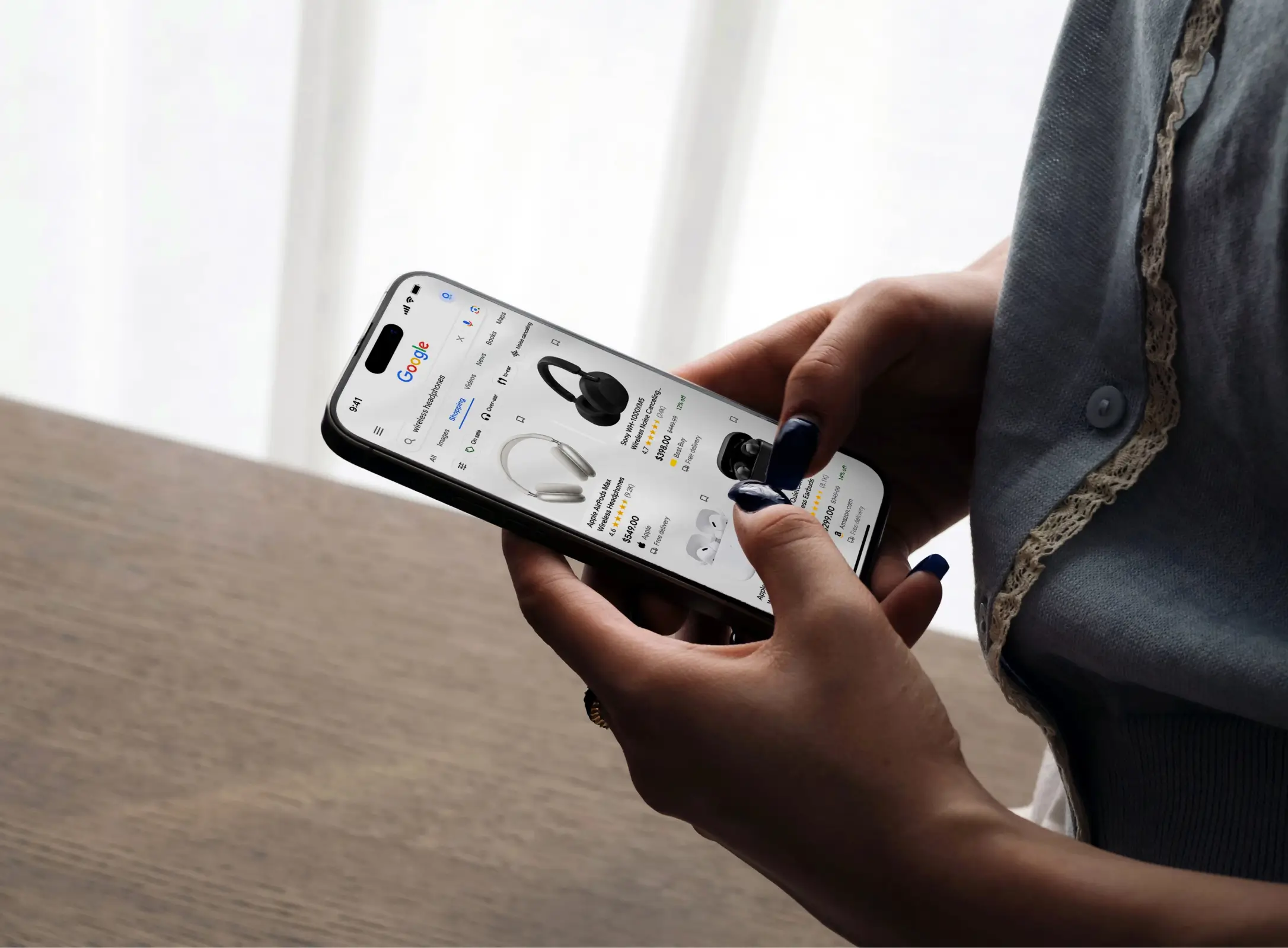
Google Shopping ads show your products directly in search results. Someone searches for “Red Heels”and your product appears with price, image, and rating. No landing page to click. No brand website to navigate. Just your product ready to buy.
This is called high-intent traffic. These aren’t random browsers. These are people actively searching for what you sell. They’re ready to buy. Your job is to be there, visible, and relevant and that’s it.
Google Shopping campaigns drive better conversion rates than traditional search ads. Shocking right? Well it’s true and because people see the product, price, and ratings before they even click. There’s less guesswork. More conversions. More sales.
This year , Google Shopping is no longer optional. It’s essential and there is no debate on this.
Clean and Optimize Your Product Feed
Your product feed is most important. It determines what shows up, when to show up, and how it should perform.
A clean feed means accurate, complete product data. Titles that include brand, product type, and key attributes. Accurate prices that match your website. Authentic stock status so you’re not advertising products you don’t have.
High-quality images that show the product clearly. A lot of brands underestimate this. They think product feeds are just data dumps. Well they’re not. Your feed is your sales team. It needs to be professional, accurate, optimized and well organized.
These are the things which are important for your feed: product title, price, description, image, GTIN (the product’s barcode), and category. Get these right and everything else follows.
Use all available attributes. Don’t just provide the basics. Add color, size, material, brand, condition. The more complete your feed is , the better Google can match products to searches.
Add benefits and unique selling points (Usp) in your descriptions. Like “Don’t just attend the party , set the tone ” beats just “Red Heels ”.
More descriptive = better relevance = higher conversion rates.
Test different feed variations as well. Try A/B testing product titles and descriptions. Some formats convert better than others for your specific products.
Better titles for Better Visibility
Product titles are the most crucial. They appear in ads. They affect ranking, and they influence CTR (Click through rates).
A great title has : brand, product type, key attributes, and size or color.
“Jimmy Choo Red Stiletto Heels, Size 8” works better than just “ Red Heels”
Include the most important information first. People will scan. They don’t read. Lead them with what they want.
Use natural language. Don’t just stuff keywords awkwardly. Write titles for humans first and then algorithms.
Avoid all caps. This looks very spammy and it converts worse. “Jimmy Choo Red Heels” beats ” JIMMY CHOO RED HEELS” every time.
Also be specific about variants. If you sell the same shoe in 5 colors, don’t submit one generic product. Submit 5 products with specific color in the title. This will help Google match your ads to specific searches.
Use Smart Bidding Strategies
Manual bidding is dead in 2026. Google’s automated bidding strategies work better than humans guessing.
Use Target ROAS (Return on Ad Spend) if you know your profit margins. Tell Google “I want to make 300% return” and it automatically adjusts bids to hit that target.
Use Maximize Conversions if you want maximum sales volume. Google optimizes bids to get you the most conversions possible within your budget.
Use Target CPA (Cost Per Action) if you know how much you can afford to spend per sale. Tell Google your target and it finds the people most likely to convert at that price.
Don’t just mix strategies. Pick one. Let it run for at least 2-4 weeks so Google’s AI has enough data to learn. Then review the results.
Smart bidding requires conversion tracking. Make sure you’re properly tracking sales through Google Ads. No conversion data = no optimization.
Align Your Campaigns Strategically
How you organize campaigns affects performance.
Segment your campaigns by product category. All shoes in one campaign. All shirts in another. This lets you set different bids, budgets, and strategies for different product types.
Create separate campaigns for different margin levels. High-margin products get higher budgets. Low-margin products get lower budgets.
Use shopping ad groups to further organize. Group similar products together. This lets you set more granular bids.
Keep campaigns focused. Don’t put 1,000 unrelated products in one campaign. It makes optimization harder.
Use Performance Max campaigns for reach. Shopping ads on Google Search get priority, but Performance Max shows your products across Google’s network (YouTube, Gmail, Display). More visibility = more sales.
Do Use Promotional Attributes
If you’re running a sale or promotion, tell Google about it.
Use the promotion ID attribute to highlight discounts. “20% off summer collection” shows in your product listing.
Add sale prices to your feed. Show both original and sale prices. People respond to discounts visually.
Add promotion to the text field. “Free shipping on orders over $50” makes your ads stand out.
Highlight benefits that matter. “Eco-friendly,” “Certified,” “Award-winning.” These attributes build trust and improve click-through rates.
Seasonal attributes help too. “Winter collection,” “New arrival,” “Limited stock.” These create urgency and relevance.
Keep Monitoring and Optimizing Continuously
If you just set it and forget it won’t work. Google Shopping requires ongoing optimization.
Review the performance by product, category, and brand weekly. Which products are driving sales? Which is wasting the budget? Double down on winners. Pause or reduce spending on items which are not working.
Track quality score. Google assigns quality scores based on ad relevance, landing page experience, and expected click-through rate. Low quality scores = expensive clicks. Fix them.
Review search terms. Which searches are triggering your ads? Are they relevant? Add negative keywords to stop bidding on irrelevant searches.
Monitor your feed for errors. Disapproved products don’t show. Check Google Merchant Center regularly for warnings and disapprovals.
Track key metrics: impression share, click-through rate, conversion rate, and cost per conversion. These tell you if your campaigns are healthy.
Improve Your Landing Pages
Your shopping ad is just the beginning. Where you send people matters the most.
Link to the actual product page, not homepage. Someone clicks your Red Heel ad? Take them to the Red Heel product page, not your general shoes category.
Make sure product pages match the ad. Same product, same price, same image. Mismatches can kill conversion rates.
Optimize for mobile. Most clicks come from phones. If your product page loads slow or looks bad on mobile, people bounce.
Build trust signals. Show customer reviews, ratings, certifications. Social proof increases conversion rates.
Have a clear call-to-action. “Add to Cart” button should be obvious. No confusion about what to do next. This will make the process smoother and user friendly.
Minimize friction. Don’t force account creation before checkout. Don’t ask for too much information. Make buying as easy as possible.
Leverage Your Audience Remarketing
Maximum people don’t buy on their first visit. Remarketing shows your ads to people who visited but didn’t buy.
Create shopping remarketing campaigns. Show ads to people who viewed products but didn’t purchase. Show them the exact product they looked at. Many convert on the second or third exposure.
Set different bid adjustments for different audience segments. High-value customers (previous buyers) get higher bids. New visitors get lower bids.
Use dynamic remarketing ads. These automatically show the products people looked at. Personal = higher conversion rates.
Use Location and Time Targeting
Bid differently based on location and time.
If you get more conversions from certain cities or regions, increase bids there. If certain areas rarely convert, lower bids.
Bid higher during peak shopping hours. Early morning and evening get more traffic. Weekends get more traffic.
Adjust bids by device. Mobile gets most traffic but may have different conversion rates. Adjust accordingly.
Test these changes over time. What works varies by season, product, and audience.
Track Everything and Test Regularly
The best brands at Google Shopping are the ones who are obsessed with data.
Implement Google Analytics 4. Track not just conversions but user behavior. Where do they drop off? What path do they take?
Use conversion actions to track different types of sales. Track not just purchases but email signups and phone calls too.
A/B test landing pages. Different layouts, different calls-to-action, different trust signals. Small improvements compound.
Test different promotion angles. Try free shipping vs discount percentage. Try urgency messaging vs social proof. See what converts best.
Understand your economics. Know your profit margin per product. Know your customer acquisition cost. Know your lifetime value. These numbers drive your bidding strategy.
Lastly
Google Shopping ads work when you treat them as a system, not like a set it and forget it strategy.
Clean your product feeds. Optimize your titles. Do smart bidding. Do strategic campaigns. Continuous optimization. These are the practices that can make you win .
In 2027 , these won’t be optional. These are not optional now either.
They’re the minimum. Brands that do this get customers. Brands that don’t get left behind. As simple as that.
Google Shopping gets 70% of clicks for product searches! That much traffic is very much valuable. That traffic converts. You just need to optimize for it.
So , start with the basics. Clean your feed. Fix your titles. Set up smart bidding. Monitor performance. Then add the advanced tactics as you learn.
Over time, your Google Shopping campaigns will become your most profitable marketing channel ever.
Ready to Scale Your Google Shopping Ads?
Google Shopping campaigns are powerful, but they require the right platform and expertise to truly optimize.
Bevy Commerce makes Google Shopping simple. Manage your product feeds. Optimize bidding. Track performance. All in one place. All integrated with your Shopify store.
No complicated setups. No manual feed management. Just automated optimization that drives sales.
Contact Us. Let our team help you build high-performing Google Shopping campaigns that will drive your revenue.